
You took the morning off work, cleared space by the front door, and kept one ear tuned for the doorbell. By mid-afternoon, the parcel still hasn't arrived, and the tracking page shows the exact same depot scan it showed yesterday. Now you're stuck with a familiar choice: wait, refresh the page again, or start hunting for a customer service number.
Most delivery frustration doesn't come from a parcel running slightly behind schedule. It comes from staring at vague courier wording and not knowing whether everything is moving normally or whether you need to step in. When you track the parcel properly, each scan gives you a clear signal: wait, take action yourself, or hand the follow-up to the sender.
Table of Contents
- Find Your Tracking Number in Minutes
- Checking Tracking Messages Without Falling for Scams
- How to Check Parcel Progress Step by Step
- What Each Tracking Status Really Means
- Telling a Stalled Parcel From a Normal Delay
- Escalating a Late or Missing Parcel
- Set Up Tracking Alerts for Your Next Parcel
Find Your Tracking Number in Minutes
Say a parcel is due today and your inbox holds three different shipping emails from the past week, none with an obvious subject line. Before you can check where your order is, you need the exact reference the courier uses inside its own network.
Tracking has become a routine part of receiving deliveries across Australia because so many parcels move through local networks every day. According to the 2025 Australia Post Annual Report, domestic parcel volumes rose by 1.8% in financial year 2024, and nearly 103 million parcels were delivered during the 2024 Christmas peak between 1 November and 31 December 2024. With that much volume moving through depots, keeping your tracking details organised saves you from chasing the wrong email thread when delivery day arrives.
Where to find your tracking number
Where your tracking number sits depends on how the item was bought or booked. Some specialist stores publish courier and dispatch details before an order leaves, such as Australian peptide delivery information, which can help you recognise the right shipping notice. For any domestic order, check the matching row below first.
| Where you bought or booked | Where the number usually appears | If the number is missing |
|---|---|---|
| Online retailer | Order confirmation email and the order history page | Use the retailer's tracking link or ask for the courier and number |
| Marketplace seller | Sales order page or the message thread with the seller | Message the seller for the courier name and tracking number |
| Courier booking made directly | Dispatch email or SMS from the courier | Search your inbox for the carrier name and shipped or dispatch |
| Sendaparcel booking | Booking confirmation and the shipment dashboard | Check the shipment details for the tracking number, or ask Sendaparcel at save@sendaparcel.com.au |
| Gift or sent by a friend | Sender's shipping notice, often forwarded or shared | Ask the sender for the courier name and number before searching |
The sender usually has the clearest starting point because they created the booking or received the label. The recipient can still check messages, order history and tracking links, but should ask the sender to confirm the courier and number if the parcel is late. For API-imported orders, available tracking references and labels can be retrieved by the customer's integration.
Order numbers versus carrier tracking numbers
One of the quickest ways to hit a dead end is pasting a retailer's order number into a courier website. An order number often lives inside the store's checkout system, so the courier's tracker will not recognise it. A carrier tracking number is generated once the shipping label is created and is the reference courier scans use to follow the parcel.
Quick pre-check: Before you open any tracking page, confirm two pieces of information: the courier's exact tracking number and the name of the courier carrying the parcel.
Checking Tracking Messages Without Falling for Scams
A delivery text arrives saying a parcel cannot be delivered. It asks for a small payment and shows a link that looks almost right. That is the moment to slow down. Tracking messages work best as a prompt to check the parcel yourself, not as a doorway to tap. Research cited in the SafeAus guide to Australia Post delivery scams found that 90% of Australians had received a scam text or call, nearly three-quarters had encountered scams impersonating parcel-delivery services, and 27% reported financial loss.
The same guide notes that IDCARE recorded a sharp spike in "invalid postcode" scam texts, with June 2025 cases reaching 13 times January's level. Think of a tracking message like a note on your front door. It may point you in the right direction, but you still check the parcel against your own record before acting. Links inside SMS updates are convenient, yet they also make it harder for busy recipients to spot a fake domain.
Five steps to verify an update safely
Whenever an unexpected delivery message arrives, replace the reflex to tap with a quick manual check. Reviewing common package delivery scam red flags from Gini Help alongside these five habits keeps your details protected.
- Pause before tapping any link: Treat every unsolicited SMS or email claiming a failed delivery, address error, or customs hold with caution until you check it independently.
- Go to the account yourself: Open the retailer's website, the courier's official app, or your shipment dashboard through your own bookmark rather than the link inside the message.
- Cross-check the tracking number and web address: Compare the reference in the text against your original dispatch email. Look closely at the domain spelling, because fake sites often add extra hyphens or odd endings.
- Refuse surprise payment requests: Legitimate tracking updates don't ask for a small redelivery fee, a processing charge, or your bank card details just to confirm a suburb or postcode.
- Verify through official contact channels: If a message still looks questionable, call or message the retailer or courier using the details listed on their genuine website.
The caller should match the problem. A recipient can check a message against the dispatch notice and contact the retailer or courier through official details. A sender should make the call when the parcel was booked through a business account or dashboard, because that record holds the booking reference and shipment details. If a fake delivery text arrives, delete it without replying and report it to Scamwatch or the impersonated courier's official reporting page. If card details or personal information have already been entered, contact the bank straight away and reach out to IDCARE for recovery guidance.
How to Check Parcel Progress Step by Step
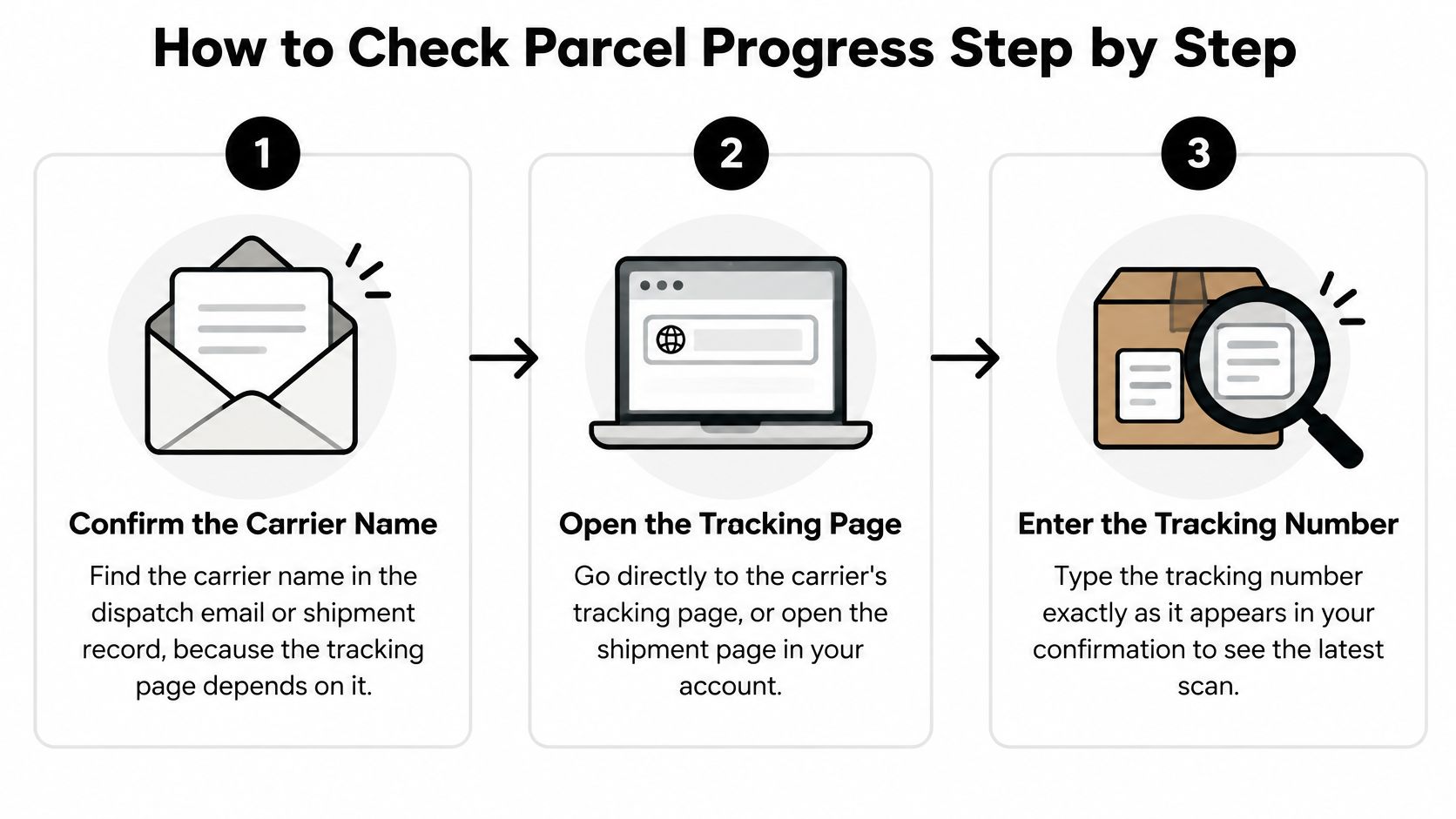
Once you have a genuine tracking number and the carrier's name, checking progress takes less than a minute when you follow a steady sequence. The visual below outlines the core three-step entry flow before you inspect the scan history in detail.
Follow these seven steps to get an accurate read on where your delivery stands:
- Confirm the carrier name first. Check your dispatch email or shipment record for the exact courier, whether that's CouriersPlease, StarTrack, Aramex, Allied Express, FedEx, or Australia Post. A valid number entered into the wrong carrier's tracker will always show an error.
- Open the tracking page directly. Type the courier's official website into your browser or open the shipment inside your Sendaparcel dashboard. Skipping links inside random texts protects you and lands you on the right record faster.
- Paste the tracking number cleanly. Copy and paste the full code rather than typing it by hand, and strip out any stray spaces at the start or end. If you do type it manually, double-check easy lookalikes such as the letter O and the number 0, or uppercase I and lowercase l.
- Read the most recent scan at the top. Note three things right away: the timestamp, the depot or suburb name, and the status wording. Then look at the estimated delivery window so you can judge whether the parcel is running on time.
- Compare the timestamp against today's date. Courier systems don't always push events instantly, so a scan can show up hours after a driver or sorting machine recorded it. A morning depot scan appearing in the afternoon doesn't mean the parcel stopped moving.
- Save a quick record if something looks off. Take a screenshot or jot down the latest scan time and location. Having the exact wording ready makes any later follow-up much smoother.
- Set your next check around the estimate. Refreshing the page every hour won't make the van drive faster and usually just builds stress. Wait until the next expected milestone, such as the morning of the estimated delivery day, before checking again.
What healthy scan progress looks like
A normal domestic journey follows a predictable rhythm. First comes a collection scan showing the courier has the parcel, followed by one or more depot scans moving it closer to your town or suburb, and finally an out for delivery scan on the morning it's loaded onto the local run.
When a fresh tracking number returns no results at all, don't assume the parcel is missing straight away. Recheck the number for typos, confirm you're on the right carrier page, and give the courier time after booking to record the first pickup scan. On the flip side, if the page says delivered and nothing is at your front door, check the booking address, look around any safe drop spots listed on a calling card, and ask housemates or neighbours before lodging a report.
What Each Tracking Status Really Means
Shoppers check tracking primarily to pin down an arrival date and plan collection. According to the Australia Post 2025 eCommerce Report, 45% of Australian shoppers actively track parcels, with more than two-thirds going straight to the delivery provider's website for updates. Looking ahead, 82% of Australian shoppers believe accurate delivery tracking and updates will matter to them over the next five years.
Yet more scan lines don't automatically bring clarity. Every courier writes statuses slightly differently, and a delivery estimate is a planning guide rather than a guaranteed arrival time, especially on interstate or same-day runs. Instead of fixating on the exact phrasing, match your scan to the closest meaning in the table below.
Tracking statuses, meanings and next steps
| Status | What it usually means | Your next step |
|---|---|---|
| Label created | Shipment booked, but the courier has not scanned the parcel yet | Wait for the first collection scan before worrying |
| Collected or picked up | The courier has the parcel and it is moving | Nothing to do; check again at the estimated window |
| In transit | The parcel is moving between depots toward the destination | Check the estimated window; gaps between scans are common |
| Delivery attempted | The driver tried but could not complete delivery | Read the card or message for instructions and check the address and access |
| Ready for collection or held at depot | The parcel is waiting at a depot or pickup point | Collect within the stated time or arrange redelivery with the courier |
| Delayed or exception | The courier has flagged a problem with the parcel | Contact the courier with the tracking number and quote the last scan |
| Delivered | A delivery scan has been recorded | If it did not arrive, check safe places and neighbours, then report it |
Knowing who needs to act next
The statuses that trip people up most sit at opposite ends of the action scale. Label created and In transit look quiet, which tempts recipients to send urgent emails when patience is the right move. A gap between transit scans can mean a missed barcode read or a long-distance linehaul trip, not a lost carton.
Your job as the recipient starts when a parcel needs local access or collection. If you see Delivery attempted, check your letterbox for a calling card, confirm whether the booking required signature on delivery rules to be met, and verify that gates, intercoms, or unit numbers were clear for the driver. When a parcel sits as Ready for collection or Held at depot, pick it up within the stated holding window or book redelivery before the courier returns it to the sender.
The sender should take the lead when a parcel hits Delayed or exception and stays stalled past its delivery window. Because the sender holds the commercial booking contract with the courier, they can lodge a formal investigation, confirm address details, or arrange a replacement while you're kept updated.
A tracking status tells you what the courier scanned last, not where the parcel sits this second. Treat it as a planning signal first, and check the delivery window before deciding to escalate.
Telling a Stalled Parcel From a Normal Delay
Picture a parcel that arrived at an interstate sorting depot on Friday afternoon and hasn't budged by Monday morning across a public holiday long weekend. Seeing zero movement for two full days makes anyone wonder if the box fell off a conveyor belt. Before you jump to conclusions, it helps to separate a quiet scan log from a stalled delivery.
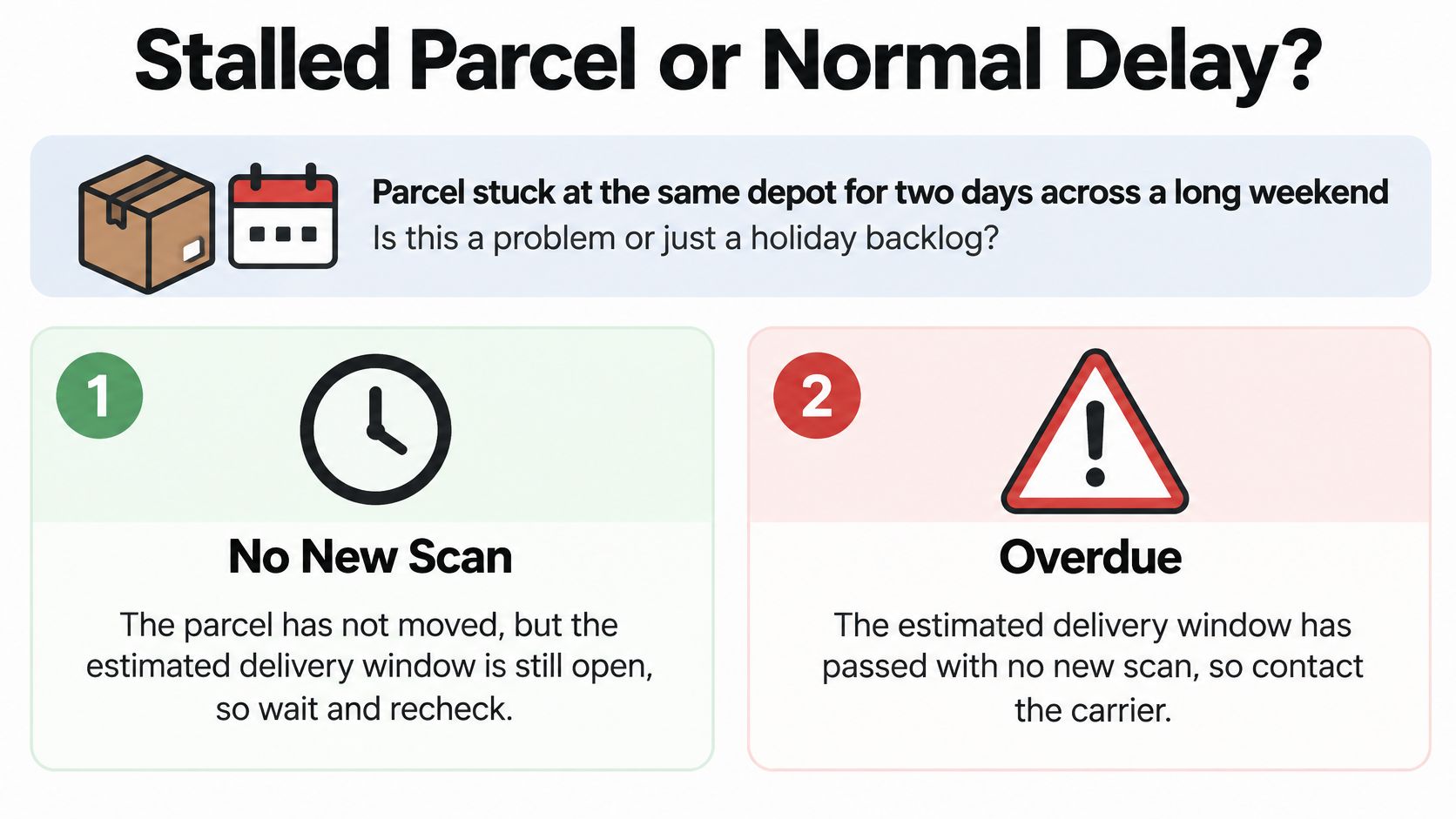
No new scan versus overdue against a milestone
The Australia Post Delivery Experience Report points out an important operational distinction: an unchanged scan isn't proof that a parcel is lost. Linehaul movements between cities, depot transfers, weekends, public holidays, and missed handheld scans all create apparent gaps in tracking while the parcel keeps travelling. A sound tracking workflow separates no new scan from overdue against expected milestone.
Keep in mind that tracking relies on recorded scans rather than continuous live GPS updates, and tracking may update after an event takes place. Even when a parcel crosses town during how last-mile delivery works, you won't see every turn of the van. Cross-border shipments stretch those silent windows even further because parcels hand off between separate carrier networks, a pattern explained well in this African Import Export Solution shipping guide covering multi-stage transit legs.
Inside our own shipment dashboard, overdue pickups and parcels staying in the same transit status too long are flagged automatically. The threshold is two days by default and can be adjusted by the user to match shorter local runs or longer interstate routes.
Watch this short walkthrough for a visual breakdown of why scan pauses happen and when to act on them:
A quick four-point check before you escalate
Run these four checks whenever a parcel looks stuck at a single depot:
- Check the delivery estimate: If today's date still falls inside the quoted delivery window, the parcel is likely on schedule even without a fresh scan.
- Measure the gap since the last scan: One business day without movement on an interstate truck is routine, whereas several business days with no update past the window warrants attention.
- Account for weekends and public holidays: A state public holiday at either the dispatch depot or the destination depot pauses sorting and linehaul dispatches for a full day.
- Decide whether to wait or escalate: If the window has closed, the scan gap is unusual for the route, and no holiday explains the pause, move straight to escalation. Otherwise, note a time tomorrow to check again.
Escalating a Late or Missing Parcel
Once a parcel has passed its estimated delivery window without a fresh scan, or has arrived damaged, structured follow-up gets far better results than sending a frustrated one-line email. Having the right details in front of you lets the courier trace the exact physical scan rather than starting from scratch.
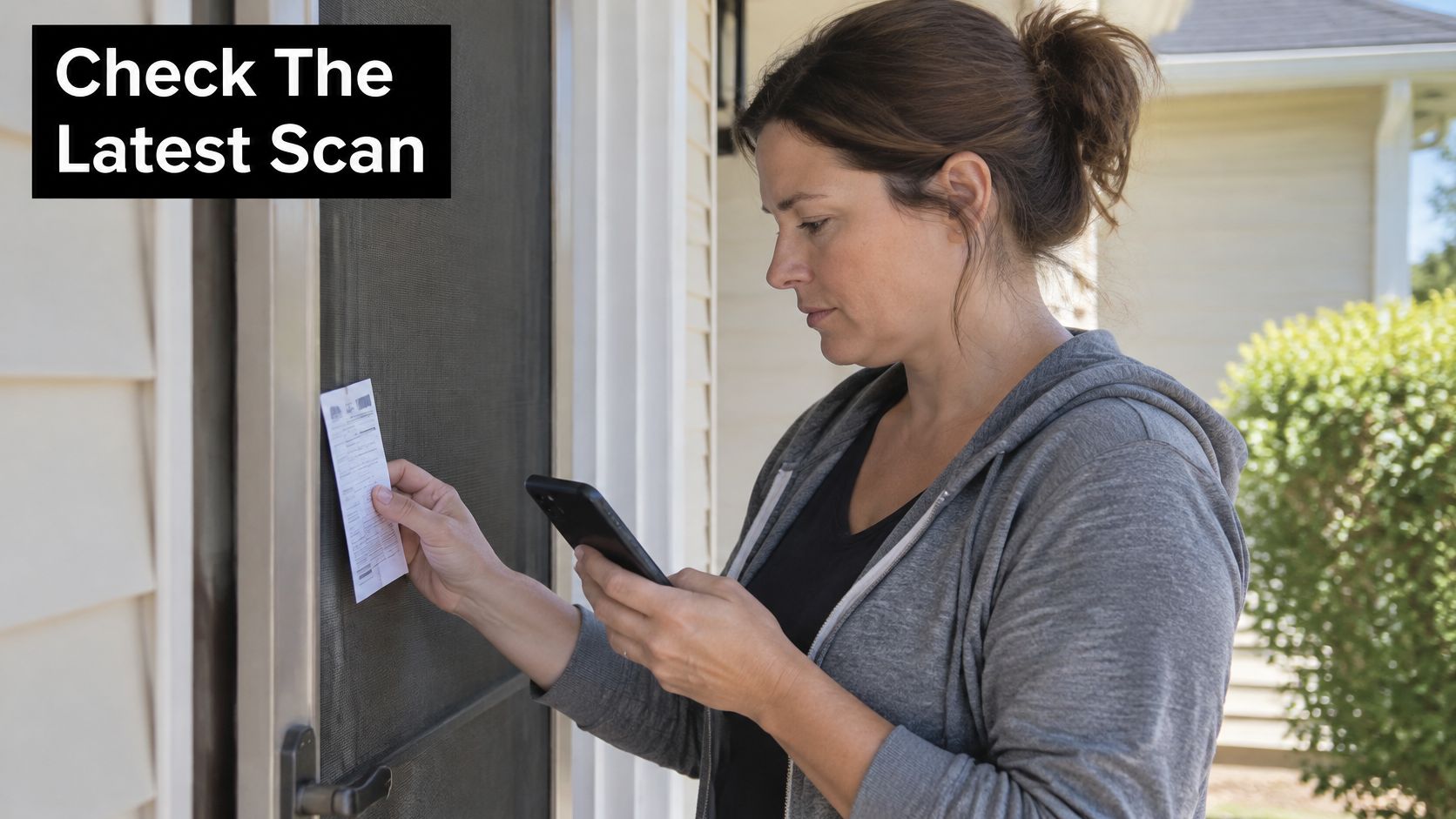
Follow these six steps in order, noting whether the recipient or the sender should make the call at each stage:
- Run one final status check (recipient or sender). Refresh the tracking page and re-read the estimated delivery window right before making contact. Quoting a scan from two days ago when a new depot event landed this morning only slows down the enquiry.
- Check missed-delivery instructions first (recipient). After a missed delivery, check the latest courier update in Tracking and follow the courier's instructions for the selected service. Calling cards, SMS notices, and depot collection alerts tell you what the courier will act on immediately.
- Pull your shipment details together (sender, with recipient input). Gather the tracking number or booking reference, full sender and recipient names and addresses, a clear description of the parcel (box colour, size, and contents), and the exact date of the last recorded scan.
- Contact the courier with the reference (sender). Reach out to the carrier using the tracking number, quote the last scan verbatim, and ask two direct questions: what happens next, and when you can expect an update. Recipients can sometimes confirm local access details, though the sender usually owns the formal trace.
- Report loss, damage, or unresolved delivery issues promptly (sender). If the parcel is lost or damaged, report it promptly to us with the shipment reference, a clear description of the issue, evidence of the item's value, and any available photographs of the packaging and contents. Understanding how courier parcel insurance applies helps you assemble the right supporting documents the first time.
- Request a pickup rebooking if collection was missed (sender). When a parcel is still waiting at the pickup address or needs a fresh collection slot, request pickup rebooking using the shipment selection or tracking number rather than creating a duplicate booking.
What to expect after you lodge an enquiry
Couriers typically investigate by messaging the last scanning depot to conduct a physical dock search or speak with the driver on that run. A reply often arrives alongside the next scan event as the parcel is located and relabelled back into the sorting stream.
Keep your booking reference, screenshots, and email thread saved until the parcel is physically in the recipient's hands and confirmed delivered.
Set Up Tracking Alerts for Your Next Parcel
Waiting until a parcel goes quiet to dig through old emails turns a simple delivery into a chore. Decide before your next order ships how you want to follow it, because regular updates catch problems while they're still easy to fix. In an earlier February 2021 Australia Post survey of more than 2,000 domestic-parcel recipients reported in the Australia Post 2026 Annual Report, 74% considered real-time tracking important, and 59% preferred regular tracking notifications compared with 41% who wanted notifications only when a problem occurred.
Setting up clean tracking habits for your next delivery takes under two minutes:
- Store the carrier and tracking number in one place: Move dispatch emails into a dedicated inbox folder or keep all active deliveries inside a single shipment dashboard so you never hunt across multiple threads.
- Switch on exception alerts as well as delivery alerts: Knowing a parcel is out for delivery helps you plan your day, while an early alert for an address query or missed pickup gives you time to fix it before the item returns to sender.
- Pair the booking reference with the tracking code: Keeping both numbers side by side means you have everything ready if you ever need to lodge an enquiry or rebook a collection.
Keeping labels and tracking together
Alerts work best when you treat them as prompts rather than a live map. Because notifications report recorded scans rather than continuous location updates, combine them with the status meanings and estimated delivery windows covered above so every ping leads to a calm decision.
If you send parcels regularly or even just occasionally, a free Sendaparcel account lets you compare courier prices, save favourite box sizes and addresses, and manage labels and tracking in one place, with no platform subscription fee. Whenever you have a question about a specific shipment, you can send it straight to save@sendaparcel.com.au. Before you hand your next parcel to the courier, save the booking reference and turn on your tracking alerts so you stay ahead of every scan from pickup to doorstep.
Whether you're sending a one-off gift across town or managing daily interstate dispatches, Sendaparcel brings live courier quotes, printable labels, and clear parcel tracking into one easy-to-use Australian dashboard. Compare services from trusted local and interstate carriers, flag overdue pickups early, and keep every booking reference within reach. Visit Sendaparcel to compare rates and set up tracking for your next shipment.